


We’ve all been there. You return a rental van, thinking everything is spot on, only to receive a cheeky invoice a week later for a “new” scratch on the bumper that you’re certain was already there. For fleet managers, these “off-hire” damage costs are more than just a nuisance, it can seriously bleed a budget dry.
But here’s the good news: most of these disputes are completely avoidable. By implementing a simple, robust process for start and end check sheets, you can protect your drivers and your bottom line.
The Golden Rule: The 24-Hour Window
When it comes to vehicle rentals, timing is everything. To ensure your documentation is legally and commercially “watertight,” you must complete your initial inspection within 24 hours of vehicle delivery.
Waiting longer than a day opens up the “he-said, she-said” argument. Was that stone chip caused by your driver this morning, or was it there when the low-loader dropped it off? By completing your check sheet immediately, you create an ironclad baseline that rental companies can’t argue with.
Your Step-by-Step Rental Inspection Checklist
To make sure nothing gets missed, drivers should follow a consistent routine. A thorough walkaround is your best defence. Here is what you need to look for:
The Exterior Bodywork
- Panels and Bumpers: Check for scuffs, dents, or scratches larger than a 10p piece.
- The Roof: Often overlooked! Check for damage from low branches or height-restricted car parks.
- Glass: Look for even the tiniest chips in the windscreen or cracks in the wing mirrors.
Tyres and Wheels
- Check the sidewalls for bulges and the alloys for “kerbing.”
- Ensure the tread depth looks legal, don’t get caught out by someone else’s heavy braking.
The Interior and Tech
- Check the upholstery for burns or stains.
- Verify the fuel level or battery charge and take a photo of the dashboard.
- Ensure all electronics (lights, wipers, sat-nav) are working as they should.
Documentation
- Ensure the mileage recorded on the delivery note matches what’s actually on the clock.
How the Achieve Driver App Changes the Game
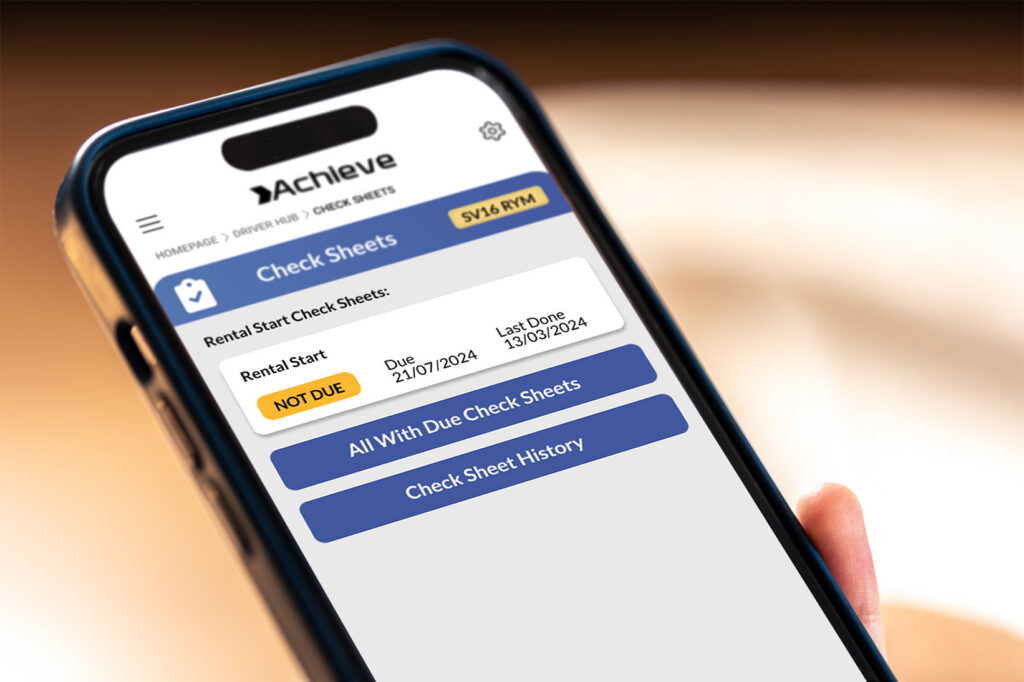
At Fleet Service GB, we know that paper forms get lost or coffee-stained. That’s why we’ve integrated rental check sheets directly into our Achieve Driver App.
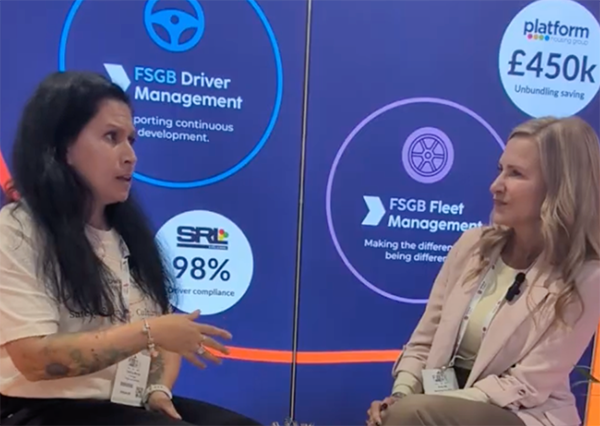
As seen in below in our latest walkthrough, the app guides drivers through a digital version of the “start and end” process. The tool’s simple, quick design helps drivers stay compliant without wasting half their morning.
Digital Evidence is Your Shield
The Achieve app allows drivers to:
- Upload Photos and Videos: Capture high-definition proof of the vehicle’s condition at the point of delivery and collection.
- Interactive Damage Maps: Use the digital diagram to pinpoint exactly where pre-existing damage is located.
- Mileage & Fuel Tracking: Instantly log the current state of the vehicle to avoid “missing fuel” charges.
- Real-Time Sync: Once the driver hits ‘Submit,’ the system uploads the data immediately to Fleet Service GB, providing an audit trail that protects the business from unfair recharges.
By using the app for both the start and end of the hire, you create a “before and after” story that makes it impossible for rental providers to claim for damage that wasn’t caused by your team.
FAQs About Rental Vehicle Damage Claims
What is “Fair Wear and Tear”?
In the UK, the BVRLA sets the standard for what counts as acceptable aging (like tiny stone chips) versus actual damage (like a dented door). If it’s outside these guidelines, you’ll likely be charged unless you have proof it was there at the start.
Why do I need to check the vehicle at the end of the hire?
Just because you didn’t crash doesn’t mean the vehicle is safe. A “End” check sheet proves the condition you left it in. If it gets damaged while waiting for the rental company to collect it, your end-of-hire report is your proof that it didn’t happen on your watch.
What should I do if I find damage during the start check?
Document it in the Achieve app immediately, take a clear photo, and ensure the delivery driver acknowledges it before they leave.
FAQs About Fleet Service GB
What does Fleet Service GB actually do?
We provide complete Fleet Management solutions. From maintenance and repairs to risk management, we help businesses run their vehicles more efficiently and safely.
How does the Achieve Driver App help with safety?
The app isn’t just for rentals. It’s a tool for Driver Management that handles daily walkaround checks, safety coaching, and incident reporting, ensuring your drivers are always supported on the road.
Is the data stored securely?
Yes. All photos, videos, and check sheets uploaded via the app are stored in our secure portal, accessible to fleet managers whenever they need to contest a claim or review a vehicle’s history.
Conclusion
Don’t let “hidden” rental costs catch you off guard. By spending five minutes with the Achieve Driver App at the start and end of every rental, you can save your business thousands in disputed claims.
Stop paying for someone else’s mistakes, start checking your rentals today!